My Agentic Setup: Zed, Claude Code and OpenCode
People keep asking what I actually use, so here it is. This is the setup I build everything with right now, including the site you're reading this on.
It's three pieces: Zed as the editor, Claude Code as the main agent, and OpenCode as the second one. The interesting part isn't the tools themselves. It's how little glue it takes to make them work together, and the few guardrails I set once so I don't have to think about them again.
If you want the how I work side rather than the what I use side, that's in the companion post: How I Work as an Agentic Engineer.
flowchart LR
    Z[Zed editor] -->|ACP| CC[Claude Code<br/>main engineer]
    Z -->|ACP| OC[OpenCode<br/>fast + cheap]
    CC --> R[(Repo)]
    OC --> R
    S[Global skills<br/>~/.agents/skills] --> CC
    S --> OC
    R --> G[GitHub] --> V[Vercel deploy]
Get the setup
Everything here is free to start with. Links go to the official pages:
| Tool | What it is | Get it |
|---|---|---|
| Zed | Fast native editor with a built-in agent panel | zed.dev/download |
| Claude Code | Anthropic's coding agent, my main engineer | Install guide |
| OpenCode | Open-source coding agent that runs almost any model | opencode.ai |
| skills.sh | Installer and directory for agent skills | skills.sh |
| ACP | The protocol that lets Zed host both agents | agentclientprotocol.com |
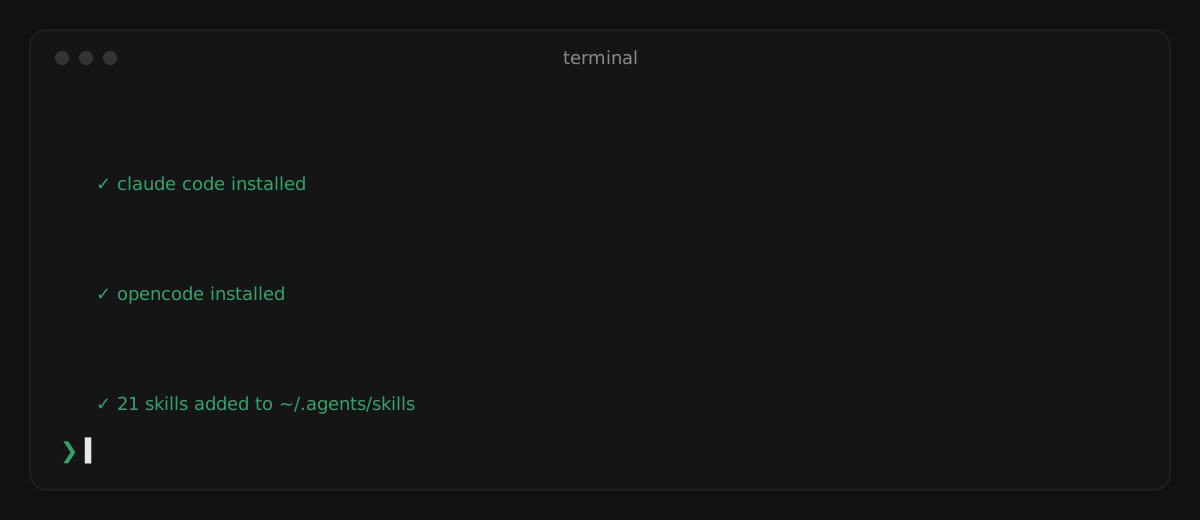
On Windows (my machine), installing the two agents and a first skill pack is three commands:
irm https://claude.ai/install.ps1 | iex           # Claude Code
curl -fsSL https://opencode.ai/install | bash     # OpenCode (or: npm i -g opencode-ai)
npx skills add pbakaus/impeccable                 # a skill pack, installed globally
On macOS or Linux, Claude Code is curl -fsSL https://claude.ai/install.sh | bash instead.
Zed: the editor that gets out of the way
I moved to Zed because it's fast in a way you notice every single day. It opens instantly, it doesn't stutter on big files, and it doesn't feel like a browser pretending to be an editor.
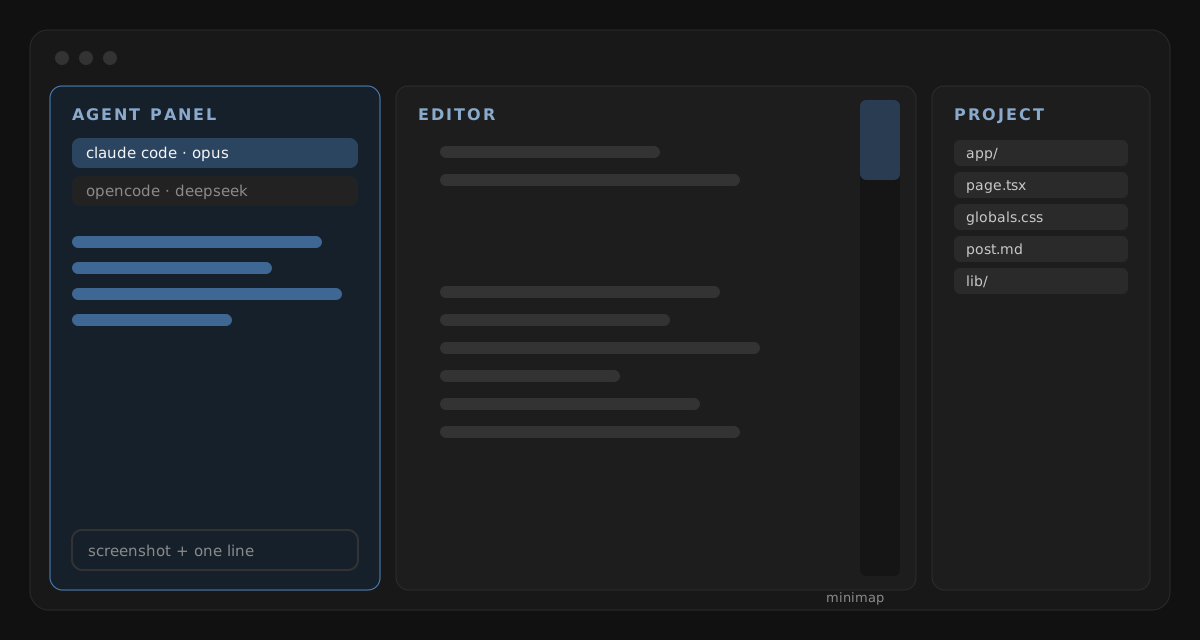
The bigger reason now is agents. Zed speaks ACP, the Agent Client Protocol, which means both of my agents plug straight into the editor's agent panel. No extension juggling, no separate windows. I pick the agent, give it the task, and watch the diff land in the same place I'd be editing anyway.
My layout is built around that:
- Agent panel docked on the left. That's where most of the work starts now, so it gets the prime spot.
- Project panel on the right, git and outline panels on the left with the agent.
- Minimap always on. When an agent touches a long file, the minimap is the fastest way to see where it changed things.
- VS Code keymap. Muscle memory is expensive to retrain. I didn't.
Two agents, two jobs
I run two agents on purpose, because they're good at different things.
Claude Code is the main engineer. It runs on Opus, and it gets the work that spans many files or needs actual judgement: a redesign, a bug that crosses the frontend and the database, wiring up a new feature end to end. It's the one I trust with "do this, verify it, and push when done."
OpenCode is the fast, cheap second pair of hands. I point it at free models (DeepSeek v4.1 Flash or GLM Flash through OpenCode), or GPT 5.4 on Azure when I want a different opinion. It's great for bulk work, quick edits, and anything I'd feel silly spending a big model on.
Running two also gives me something underrated: a second opinion from a different model family. When one agent is confidently stuck, asking the other one often breaks the loop.
The pattern I keep coming back to: let the cheap model do the volume and the expensive one do the judgement. OpenCode drafts, Claude reviews and verifies. I've written up a full project built that way, with what went right and wrong, in How I Work as an Agentic Engineer.
Guardrails I set once
Agents are only useful if you can let them run without babysitting every step. A few settings make that safe enough for me:
- Sandboxed network access. The agent sandbox in Zed can only reach my own domain. If it needs anything else, it has to ask.
- No data collection on edit predictions.
- One shared instruction file. I keep an
AGENTS.mdwith my house rules, like how commit messages should be written: short imperative subject, a body only when it adds something. Every agent reads the same rules, so the git history reads like one person wrote it.
The theme of all three: decide the boundaries once, then stop thinking about them.
Skills: the part that actually makes it mine
The models are the same for everyone. Skills are what make an agent behave like my agent.
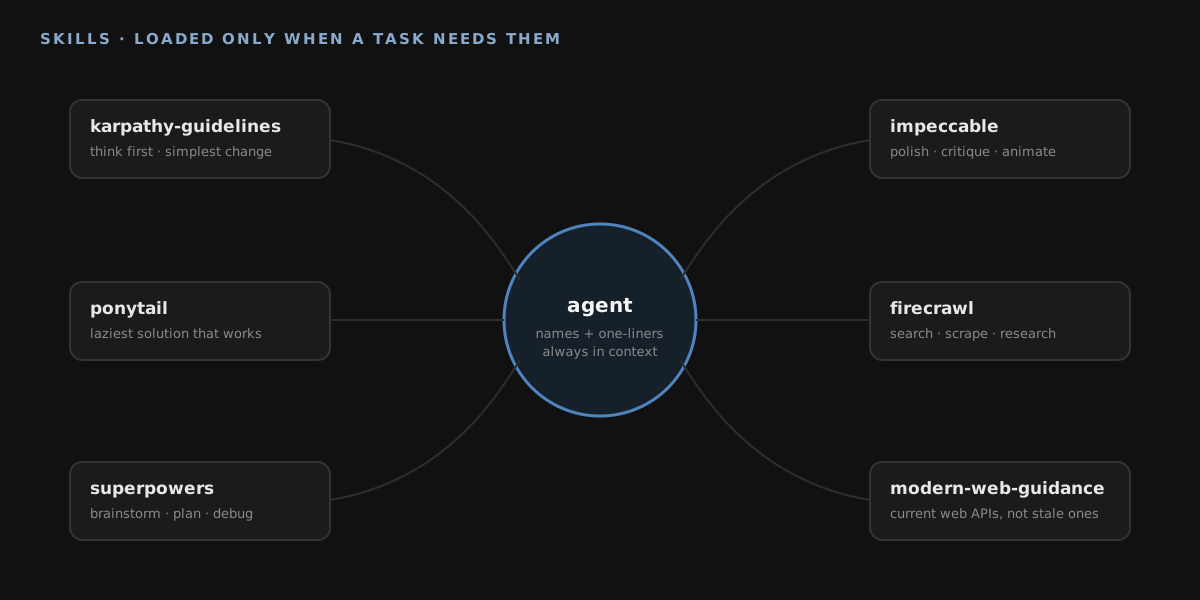
A skill is a folder with a SKILL.md file: instructions for one kind of job, plus any scripts or references it needs. The agent always sees each skill's name and one-line description. It only loads the full instructions when a task actually calls for that skill, so I can have a hundred installed without bloating every conversation.
Global skills (every project, every agent)
I install most skills globally with skills.sh, so they live in ~/.agents/skills and every project gets them for free. Project-specific skills go in the repo instead.
- Karpathy guidelines. A short rule set based on Andrej Karpathy's notes about how LLMs go wrong when they code: think before coding, keep it simple, make surgical changes, and work towards a checkable goal. It's the cheapest quality upgrade I know of.
- impeccable (impeccable.style). 21 design skills, like
polish,critique,animate,typesetandcolorize. This is what stops AI-generated UI from looking like every other AI-generated UI. - Firecrawl. Search, scrape, crawl and deep research, so the agent reads the real web instead of guessing from memory. Includes extra workflow and build packs.
- find-skills. A skill for finding more skills. The agent can look up and suggest one when it hits something new.
- Clerk and Azure. Vendor skills straight from the source, for auth and cloud work, so the agent follows each platform's current setup instead of an outdated blog post.
Claude Code plugins
Plugins bundle skills, hooks and tools into one install. These are the ones I have switched on:
- ponytail. Pushes the agent towards the laziest solution that works: stdlib before a dependency, one line before fifty. Left alone, models love to over-engineer. This keeps them honest.
- superpowers. Process skills: brainstorm before building, write a plan, debug systematically, verify before claiming done.
- Matt Pocock's skills. TDD, diagnosing bugs, domain modelling and code review, written by someone who teaches this for a living.
- Official plugins.
modern-web-guidancemakes the agent check current web best practice before writing frontend code, because web APIs move faster than training data.renderdeploys and checks services without leaving the chat.goplsadds Go language support.
How I pick what to install
- Fix a pattern, not a one-off. If I keep correcting the agent the same way, that correction becomes a skill.
- Prefer the vendor's own skills. Clerk's skill knows Clerk better than any general model.
- Fewer, sharper skills. Each one should have a one-line description that makes it obvious when it applies.
What it looks like in practice
The best demo I have is this website. It's built and maintained this way: I describe what I want (often with a screenshot), an agent makes the change across whatever files it touches, and I review the result in the browser before it ships.
How that loop works day to day, and where it breaks, is the subject of the companion post.
The short version
- Zed because it's fast and agents are first-class in it.
- Claude Code for the big, multi-file, needs-judgement work.
- OpenCode for quick, cheap tasks and a second opinion.
- Global skills (Karpathy guidelines, impeccable, Firecrawl and more) so every agent starts out knowing my standards.
- Guardrails once, up front: sandbox, shared rules file, sensible plugins.
None of this is magic. It's just a setup where the boring parts are decided, so my attention goes where it matters: deciding what to build, and checking it was built right.